
Kismet-served pages
View .mdThis is one of the two setups from Install Kismet Fixtures on WordPress. Choose it when Kismet should own the booking pages end to end and the site wants them at URLs declared in one place. Complete steps 1 to 4 of the install guide first.
In this setup the plugin does not invent URLs. It reads the routes declared for its hostname in Kismet and creates exactly those pages, then removes any it created that are no longer declared. Reviews, rates, and policy sub-pages are created under each property URL, so moving a property URL later moves those too. Decide the URLs before you flip.
1. Decide your URLs
Section titled “1. Decide your URLs”| Page | Example | Declared where |
|---|---|---|
| Results page | /vacation-rentals/ |
Kismet, Domains, route map, the Results row |
| Property pages | /vacation-rentals/{property}/ |
Kismet, Checkout, Booking Engine, Property URL Mapping |
| Home | / |
Kismet, Domains, route map, the Home row |
| Group pages (optional) | /destinations/ and /destinations/{group}/ |
Kismet, Domains, route map, the Groups row, and each group’s page under Fixtures |
| Blog (optional) | /blog/ and /blog/{post}/ |
Kismet, Fixtures, the blog fixture’s index and per-post URLs |
If the site already has search and property pages, write down the redirect map from the old URLs to the new ones now. You apply it at go-live.
2. Declare them in Kismet
Section titled “2. Declare them in Kismet”Declare once, for the production hostname. Staging inherits the production paths per page type unless you set a different path for the staging host.
Singletons (results, home, groups): the route map on the Domains page. Each row takes the full URL.
Property URLs: the Property URL Mapping page, one row per property. Two ways to fill the table:
- Pattern. Enter a template such as
https://www.example.com/vacation-rentals/{kismet-slug}/. Available variables are{kismet-slug},{guesty-nickname}, and{pms_code}. Every row fills in; review, then save. - Crawl. If the site already has property pages, Kismet crawls the live site and proposes a URL per property by matching the PMS identifier it finds on each page. Presets exist for ICND, Homerunner, Guesty Sites, and Kismet-built sites, and for Guesty, Track, Hostaway, and Streamline as the PMS. Review the matches, then save.
Every URL is unique across Kismet. If a URL is already a page on the site, the collision is reported on the row and that property does not count as configured.
Group and blog URLs: each fixture’s page under Fixtures in Kismet takes an index URL and a URL per item, with the same collision check.
Declare URLs with the Kismet operator MCP
Section titled “Declare URLs with the Kismet operator MCP”The same declarations can be made by a coding agent through the operator MCP, which is the fastest path when an agency’s agent is already building the site. It needs a Kismet login with an admin, member or developer role on the collection; the manager can add the agency developer under Team with the developer role.
Connect the agent to https://mcp.kismet.travel/user-mcp (Claude Code, Cursor, and ChatGPT instructions are on the collection’s MCP Endpoints page in Kismet), then use four tools. Every one previews first and writes only when called again with confirm: true, and every preview carries the same warning: this changes where Kismet serves pages on the host, and in Platform routing the plugin creates and removes pages to match.
| Tool | Declares |
|---|---|
set_page_serving_url |
One site-level page: page_type COLLECTION (the results page), HOMEPAGE, GROUP_INDEX or BLOG_INDEX, and its full URL |
set_property_serving_urls |
Every property URL in one call, from a pattern such as https://www.example.com/vacation-rentals/{kismet-slug}/ with the variables {kismet-slug}, {guesty-nickname} and {pms_code}, or from an explicit routes list. The preview lists every row and marks collisions; confirm is refused while any remain |
set_property_serving_url |
One property |
set_group_serving_url |
One group page |
A typical first declaration is two calls: set_page_serving_url for the results page, then set_property_serving_urls with a pattern under it. Keys are not on the MCP; step 2 of the install guide still happens in the account app.
3. Flip to Platform
Section titled “3. Flip to Platform”On Settings, Kismet Fixtures, set Routing source to Platform. It only takes effect with a publishable key saved; without one the plugin stays on Local.
Saving does the work: the plugin pulls the route map for this hostname, creates a WordPress page for every declared route that has a page fixture, and registers the rewrite rules. The local URL fields (Property URL prefix, reviews and rates paths) are ignored from now on; the declared URLs replace them.
Then purge the host cache.
4. What the plugin serves
Section titled “4. What the plugin serves”At the declared URLs, with Kismet’s page shell:
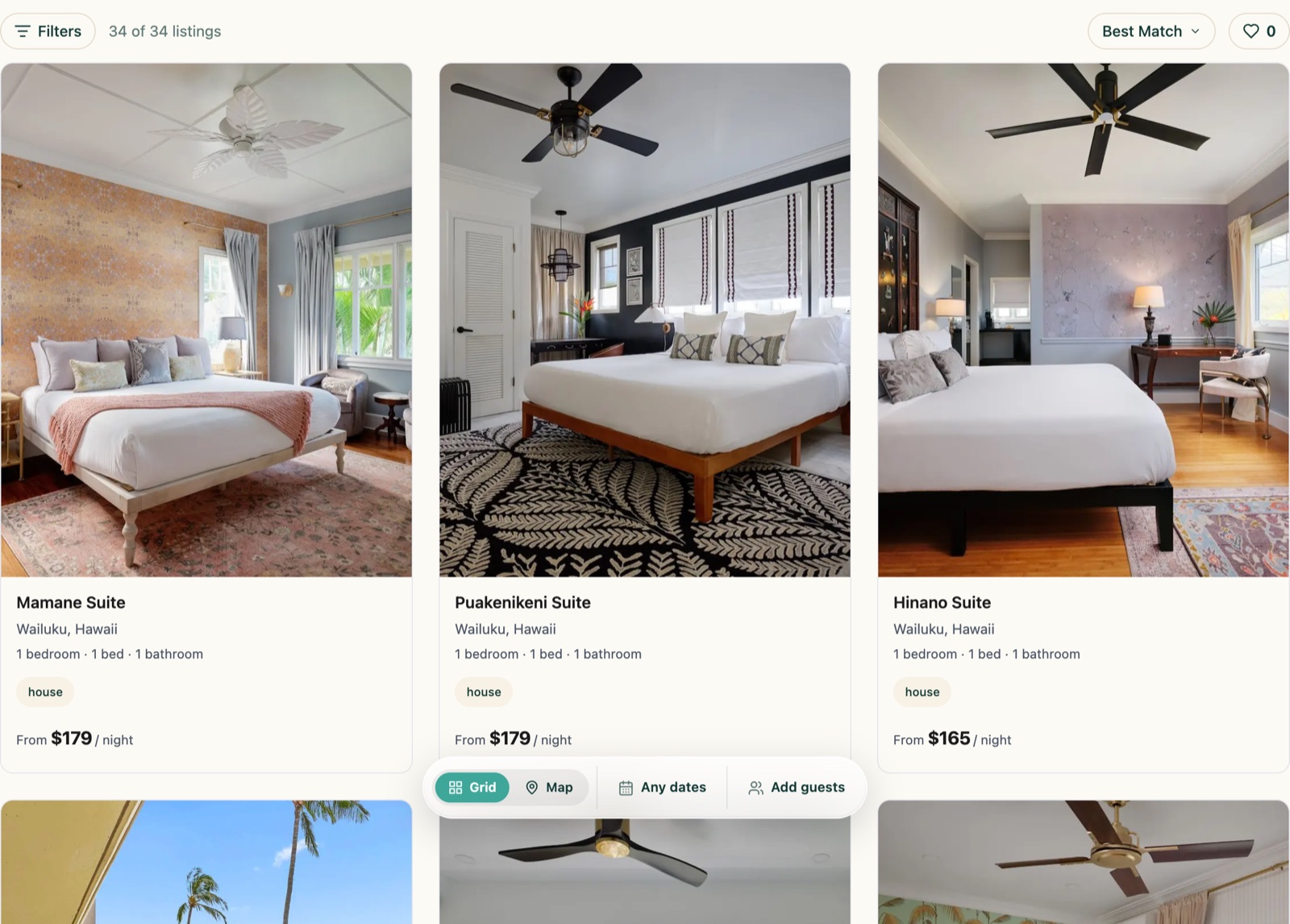
- the results page, with the search bar, filters, grid, and map;
- every property page, with the gallery, description, spaces, amenities, calendar, rates, reviews, and the booking action, plus its reviews, rates, and policy sub-pages;
- the group directory and each group page, when declared;
- the blog index and each post, when declared.
The home page is yours. Place the search bar in its hero:
[kismet_search_bar]
Block: Kismet Search Bar. With Platform routing the Search button navigates to the declared results page automatically; leave Search results path blank.
You can still place cards, Book buttons, galleries, and calendars on your own pages exactly as in Blocks on your pages.
5. Styling
Section titled “5. Styling”The manager sets the fixture theme in Kismet: fonts, colors, corner radius, card style, and the booking panel variant. Kismet-served pages use your theme’s header and footer; the Host header section of the settings screen can restyle the header on Kismet pages only. The Extra CSS field under Advanced is for anything beyond that, and survives plugin updates.
Return to the install guide for verification and go-live. For this setup, the property URL in the checklist is the one you declared per property.